
Description
Build your cleaning quote around what the job will cost
A fixed-price clean can take longer than expected. Travel time, extra tasks and paid staff hours all affect what remains after your costs.
The Cleaning Quote Calculator & Job Review Template brings your estimate, client quote and completed-job figures into one Excel workbook. It’s designed for residential cleaners and small cleaning teams who prepare their own quotes.
Prepare a quote using your own numbers
Use the rate calculator to build a suggested hourly selling rate from wages, employer costs, paid hours, billable hours, overhead and your target margin. Already have a selling rate? Enter it manually alongside your labour cost and overhead.
Estimate first cleans and recurring visits separately. Add a minimum service charge, travel fee, tax percentage and deposit percentage when needed.
Give clients a clear quote
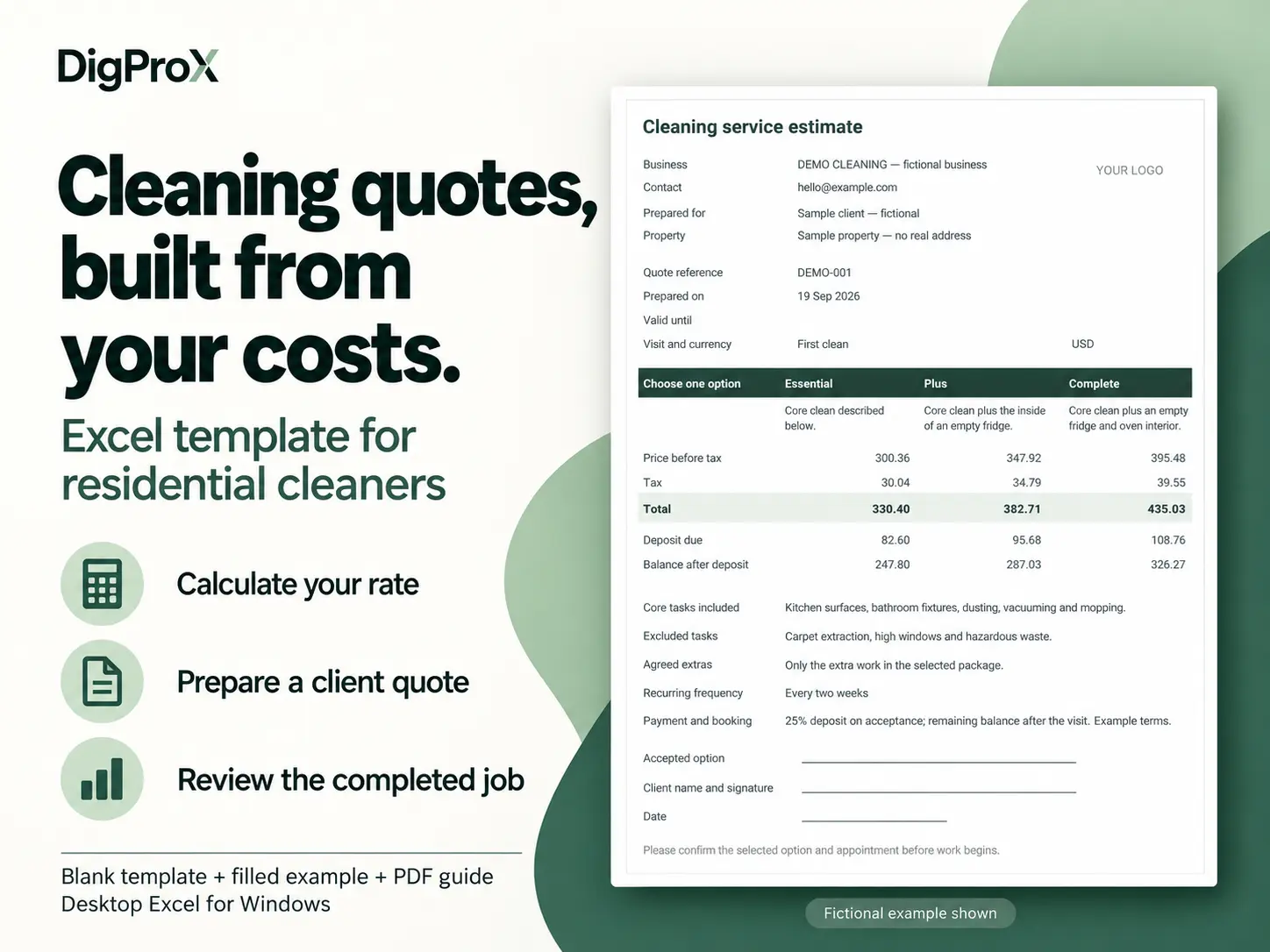
Start with one service option or prepare up to three packages with clearly defined extras. Include the work covered, exclusions, payment amounts and acceptance lines.
Export only the Client quote sheet as a PDF to share with your customer. Your internal costs stay in the workbook.
Compare your estimate with the actual job
After each clean, record the actual hours and costs. The Job review sheet has space for 50 completed jobs, so you can compare estimated and actual hours and review revenue less entered costs before preparing future quotes.
What’s included
- Blank Excel workbook with six tabs: Start here, Rate calculator, Estimate, Packages, Client quote and Job review.
- Filled fictional example with three packages and completed jobs.
- Five-page PDF quick-start guide.
- Example client quote PDF.
- Read-me instructions.
Yellow cells show where to enter information. Formula cells are protected without a password to reduce accidental edits, and an internal check flags missing details before you review the client PDF.
Software requirements and limits
Use desktop Microsoft Excel for Windows. The files were checked in Excel 16.0 on Windows. Google Sheets, Excel for Mac, browser and mobile workflows have not been verified. No macros are required.
You choose your prices and estimate the cleaning time. Room counts do not automatically calculate hours. Example figures are fictional, not recommended market rates.
Use one currency per workbook. There is no currency conversion. Tax uses one entered percentage applied to the full pre-tax price, including travel and package extras; check that this suits your requirements.
Revenue less entered costs is not net profit. Missing costs can overstate the remainder.
This spreadsheet does not schedule appointments, send quotes, collect payments or capture electronic signatures. Quote archiving and job-history entry are manual.
Need help with the files?
Email digipropx@gmail.com with your Excel version, sheet name and a description of the issue. Remove client names, addresses and other private details from screenshots.

Reviews
There are no reviews yet.